***DRAFT*** Modelling a 2v geodesic dome in Siemens NX. Based on and adapted from Fusion 360 tutorial.
Sketch 1
- Create a sketch in XY-plane
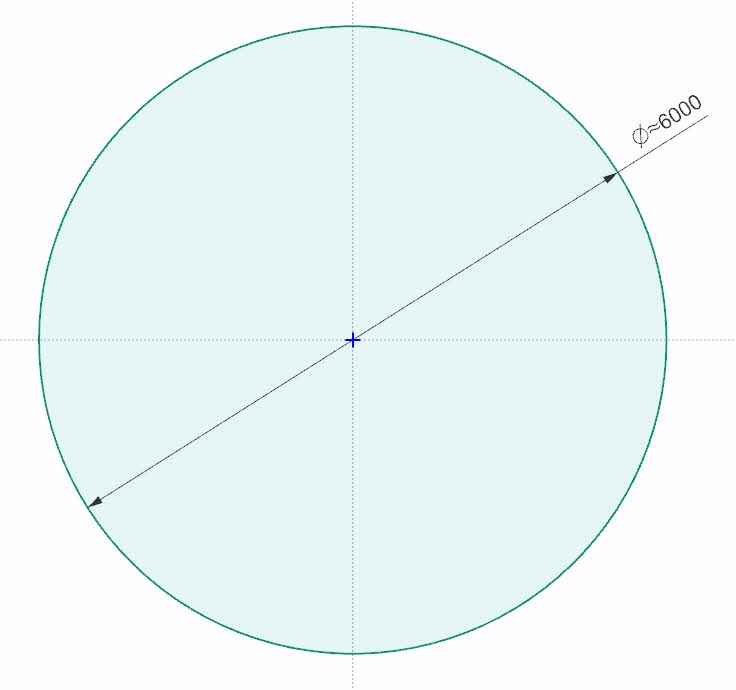
- Draw a circle with center point in [0,0] and main diameter (6000mm) – This controls the dimensions of the entire dome.
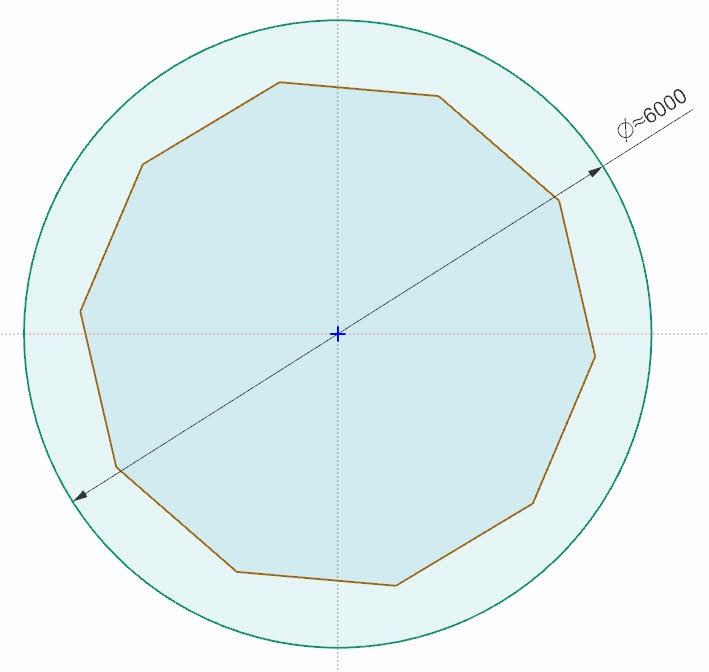
- Draw a polygon with 10 sides (n=10) in origo [0,0]
- Constrain the polygon to the main circle
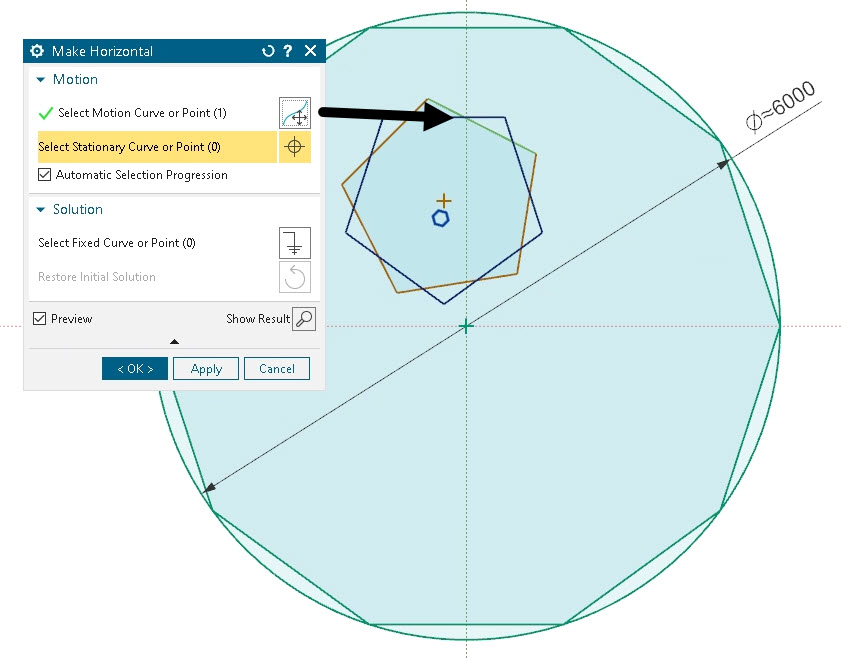
- Draw a polygon inside the larger polygon.
- Constrain the small polygon by setting:
- Equal length
- Horizontal
- Coincident points
- Check the robustness of the sketch scales correctly by modifying the main diameter
- Add diameter, D as an expressions to control the sketch.




Sketch 2
- Create a sketch in the YZ-plane
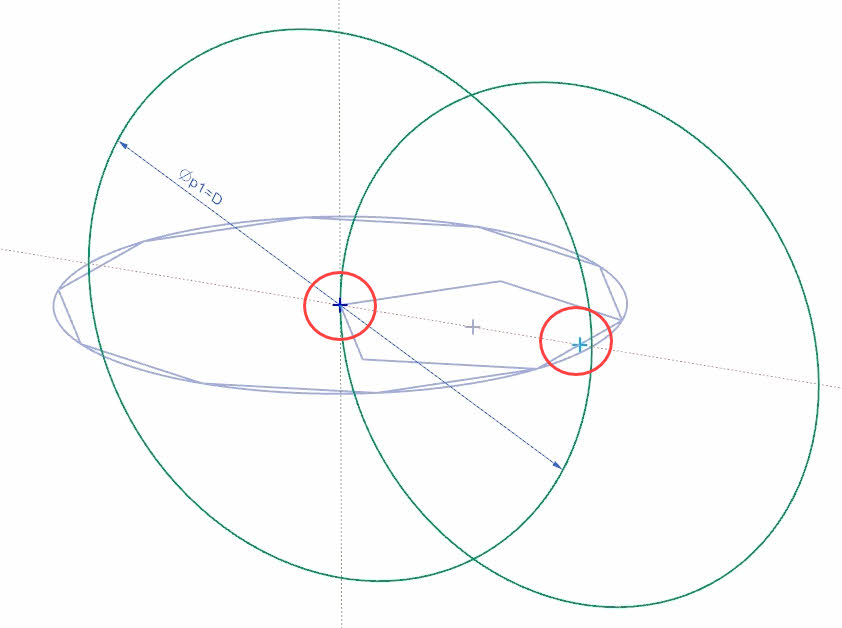
- Draw circle 1 – Center point in origin [0,0] and set diameter to the same as main diameter, D.
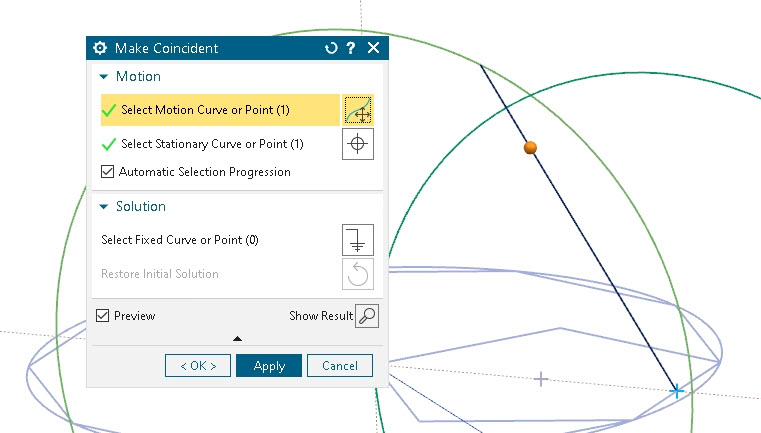
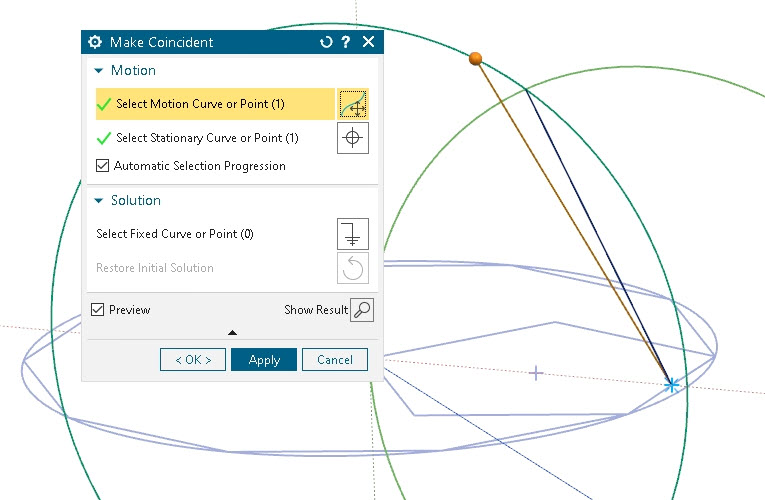
- Draw circle 2 – Center point at the midpoint of small polygon as shown in picture below.. Constrain the quadrant point in origin.
- Line 1 – Start point at polygon midpoint and end point in intersections between circles.
- Line 2 – Start point in origin, and end point in intersection between circles.
- Check that sketch scales correctly



 Manulab - NTNU Aalesund