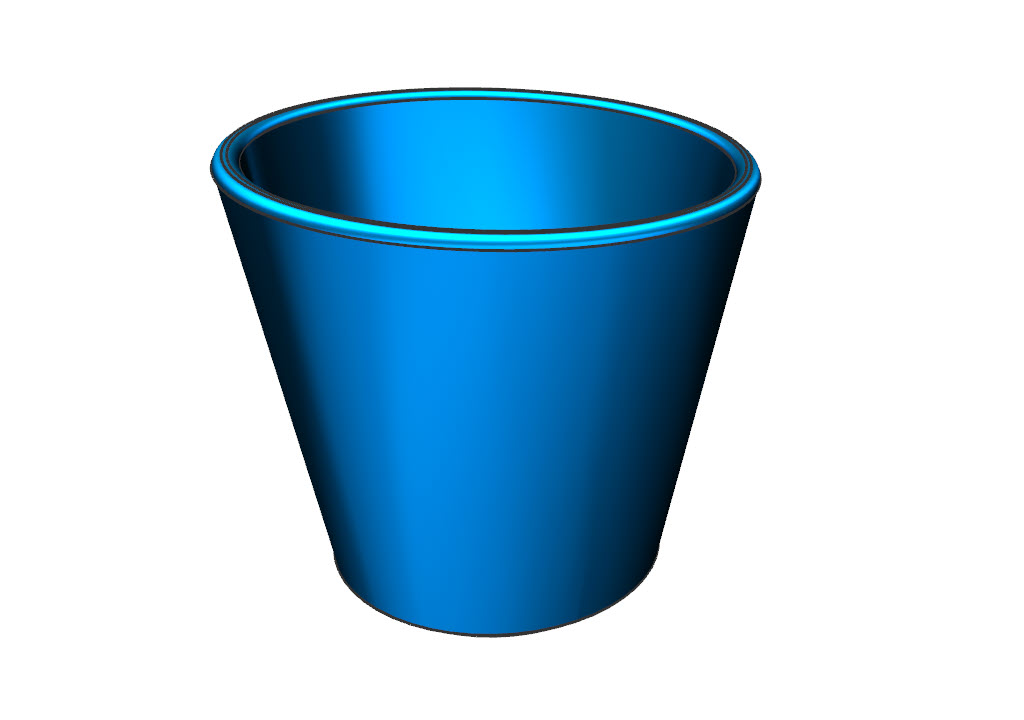
This tutorial introduces Sketch and design features as Extrude and Revolve. Sketching enables you to create 3D-models with more advanced shapes and precise control of dimensions and tolerances. As in part 1 of this tutorial we will model a coffee mug. Two approaches to creating the geometry will be covered. 1) Sketch and extrude. 2) Sketch and revolve.
Method 1 – Sketch and extrude
- Create a new part file based on the model template and save it in your home folder with an explaining file-name.
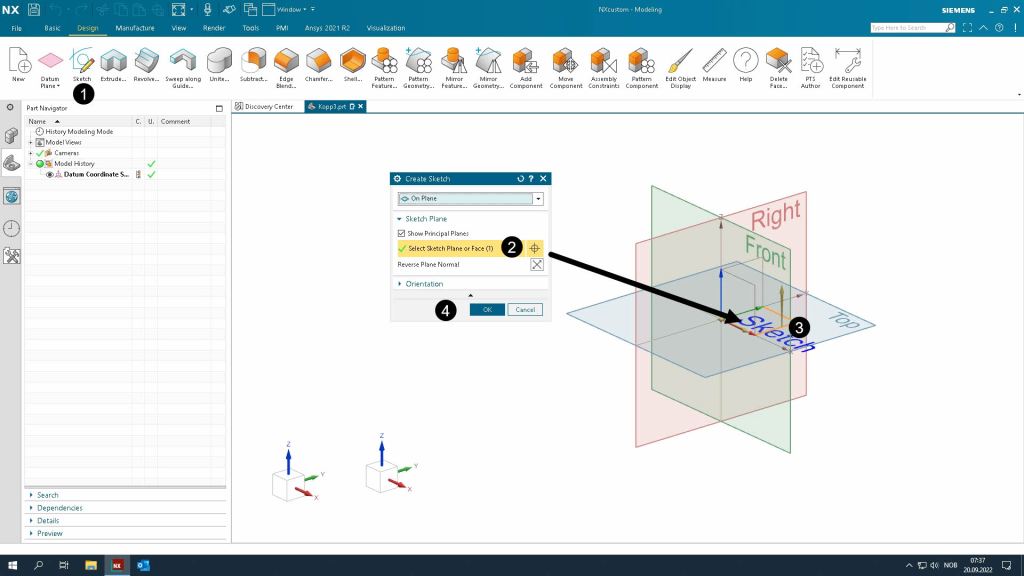
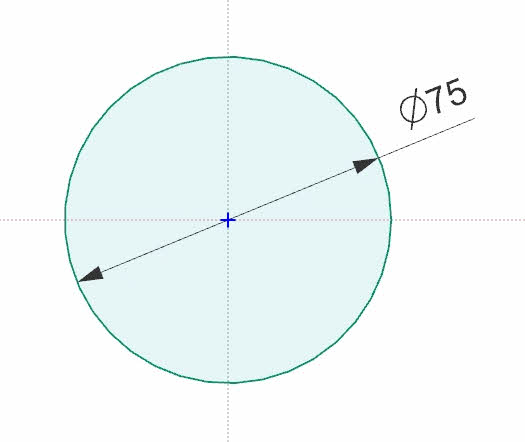
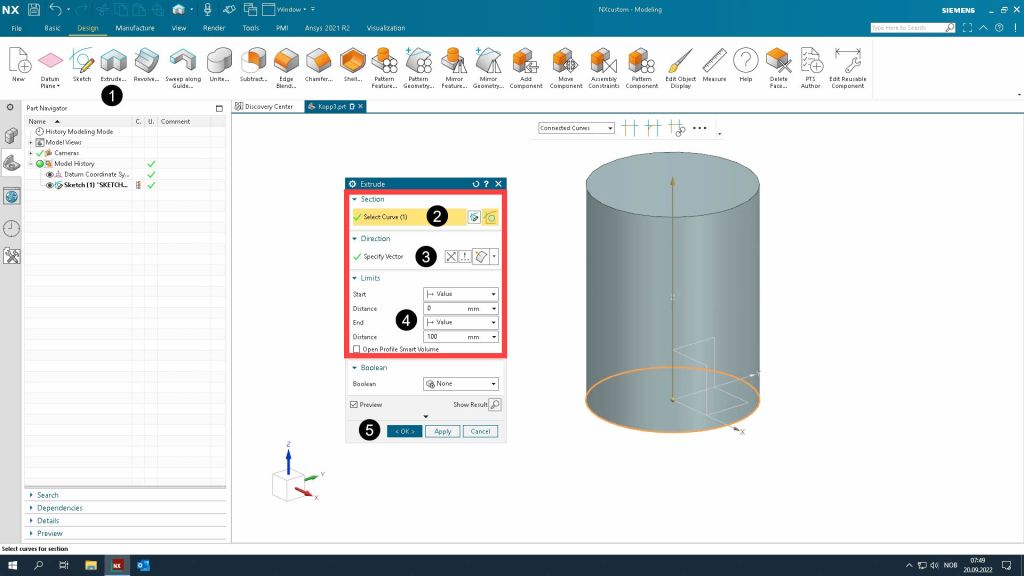
- Create a 2D sketch in the XY-plane and extrude the sketch to a solid 3D-geometry
- Extrude
- Add shell, chamfer and fillet as described in part 1 of this tutorial.


Method 2 – Sketch and revolve
- Create a 2D sketch in the YZ-plane and revolve the sketch around the Z-axis to create a solid 3D-geometry
- Revolve sketch
- Add chamfer and fillet as described in part 1 of this tutorial
- Try to change the shape of the mug by modifying the dimensions and curves in the sketch.


 Manulab - NTNU Aalesund