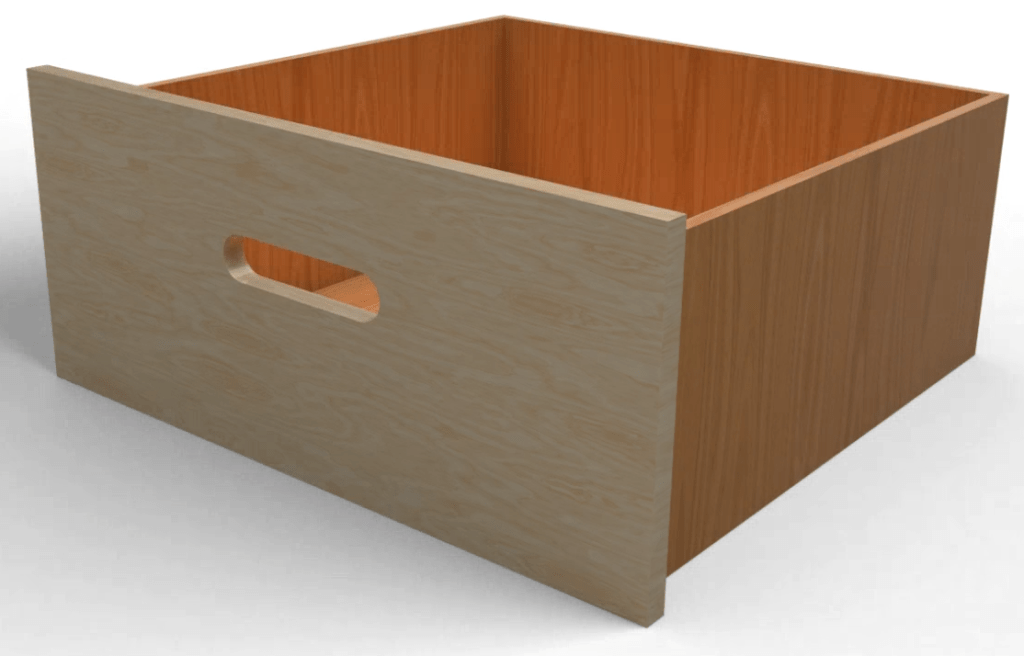
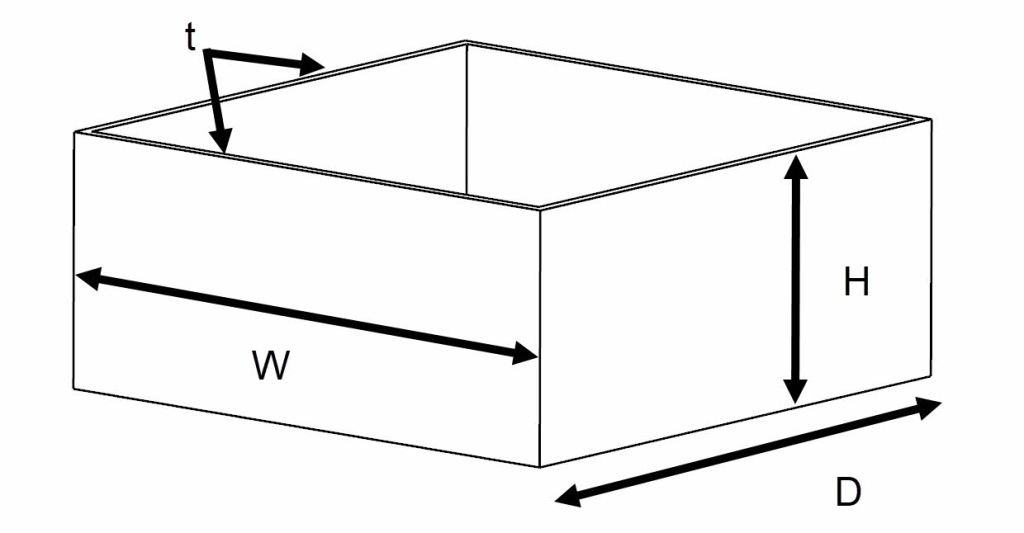
This tutorial gives an introduction to parametric modelling by designing a box. We establish the parameters for width (W), depth (D), height (H) and wall/plate thickness (t) as expressions and create a 3D-model where dimensions are fully driven by input parameters.
Main geometry
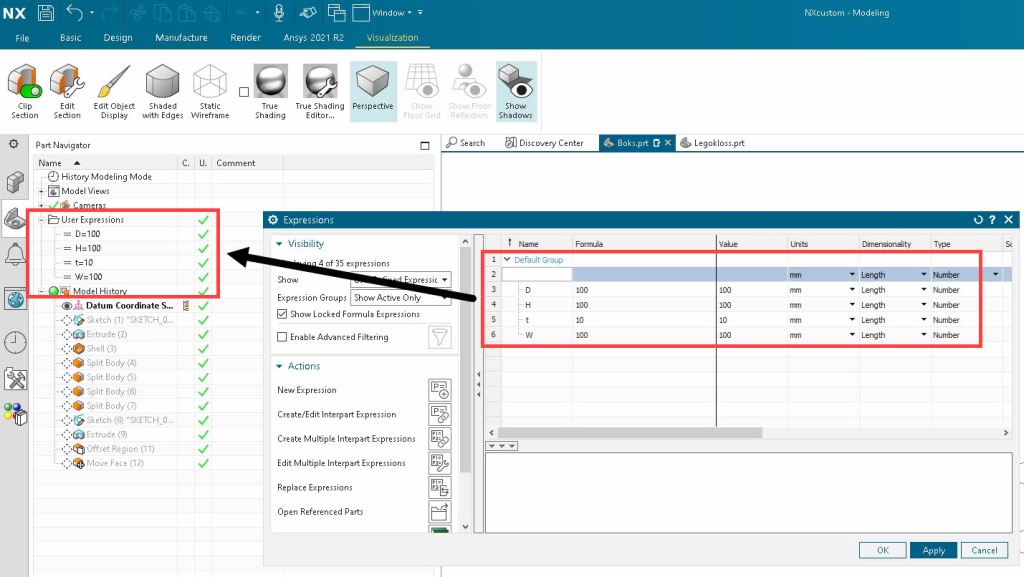
- Create Expressions – W=100mm, D=100mm, H=100 and t=10mm
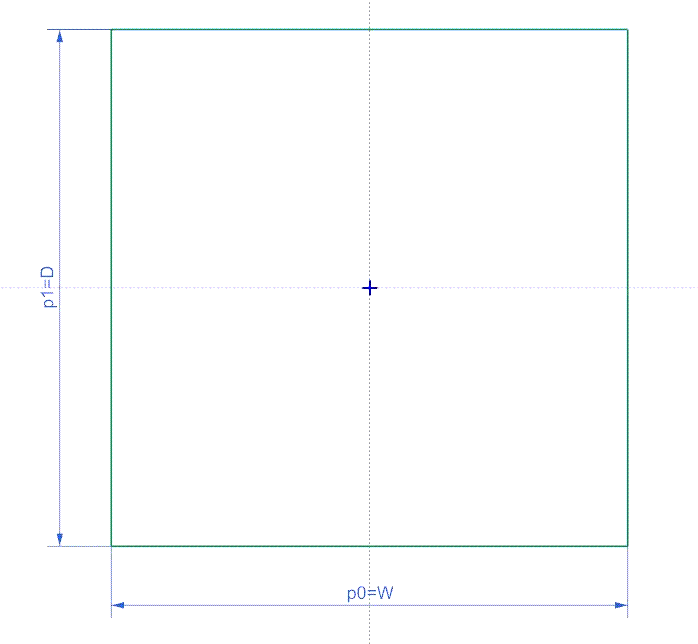
- Create a sketch in the XY-Plane and add dimensions for width and depth
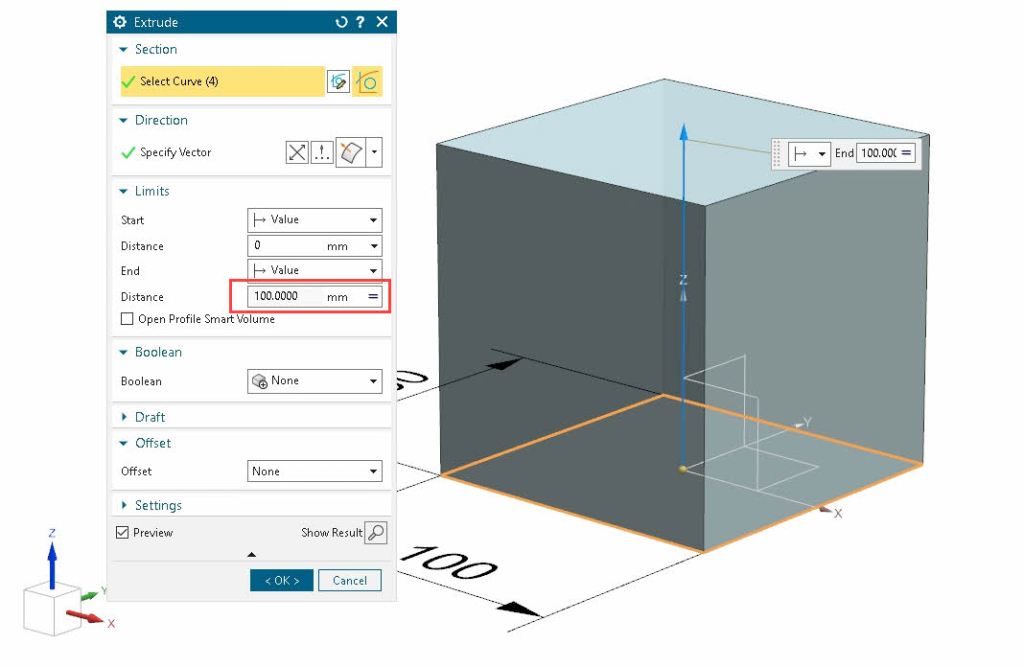
- Extrude the sketch and add H as extrusion value. You will now have a cube.
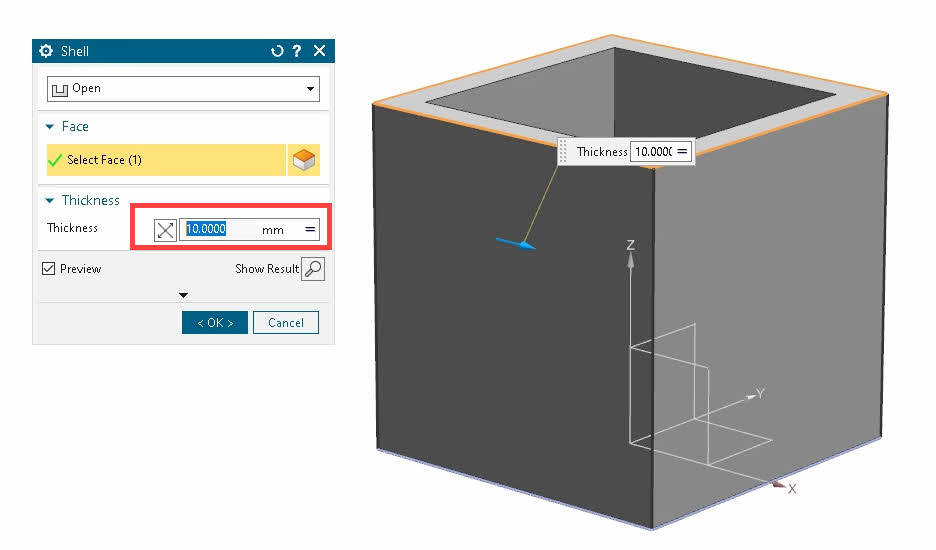
- Use shell to convert the cube to a box and set wall thickness to t.
- Check the scalability of you model by modifying the parameters.
- W=580
- D=580
- H=250
- t=12
Manufacturing preparations
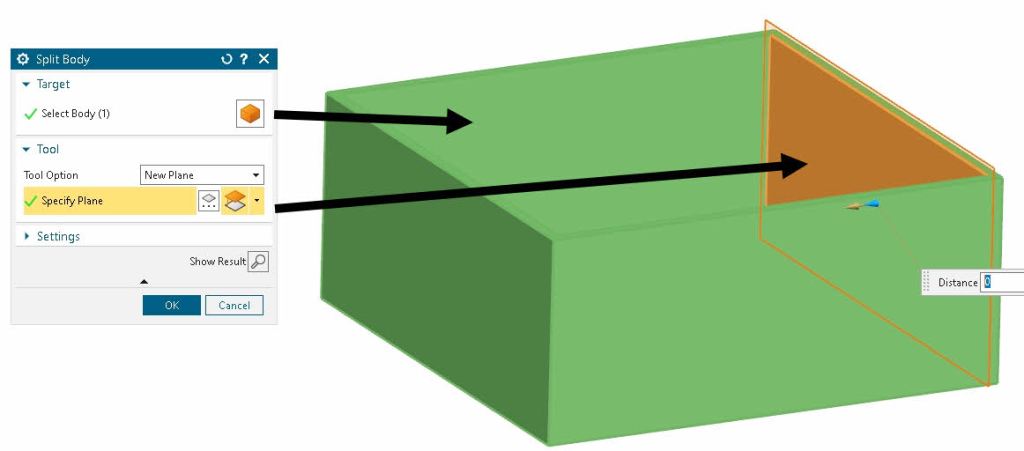
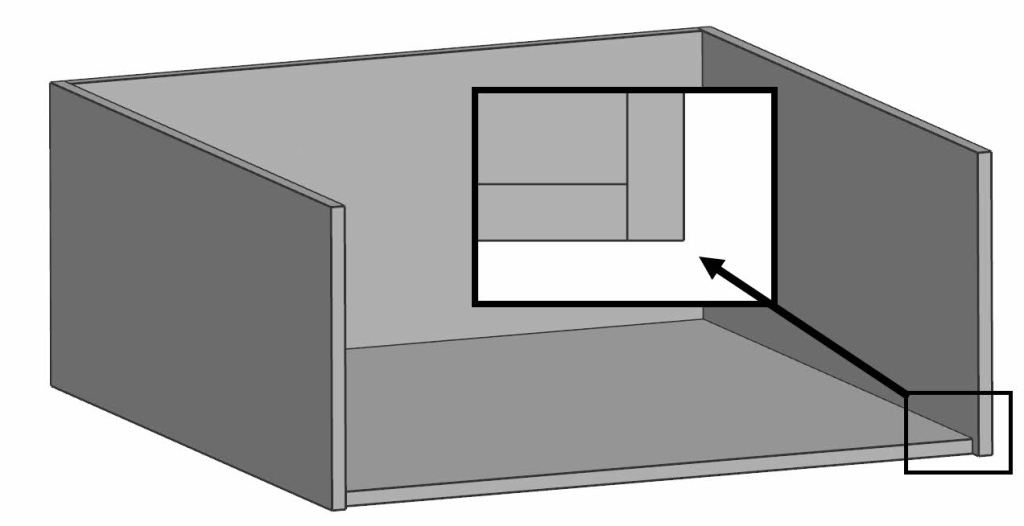
When designing products you should keep different manufacturing methods in mind. If you are planning to 3D-Print the box, dimensions should be kept within the capability of your 3D-Printer. Another option is to bypass size limitations is to splitting your product into several parts. By using split body. Laser cutting as manufacturing method also requires the sidewalls to be split into separate plates.
Handle
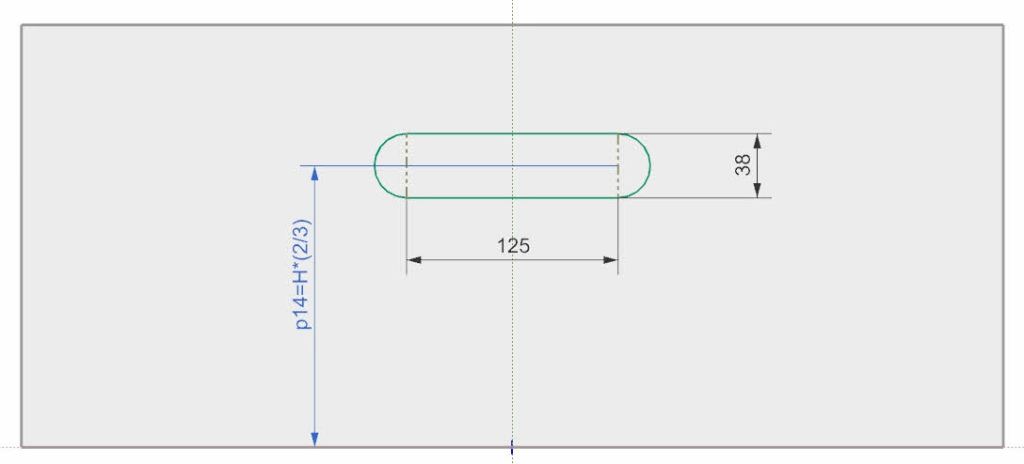
- Create a sketch for hole to cut.
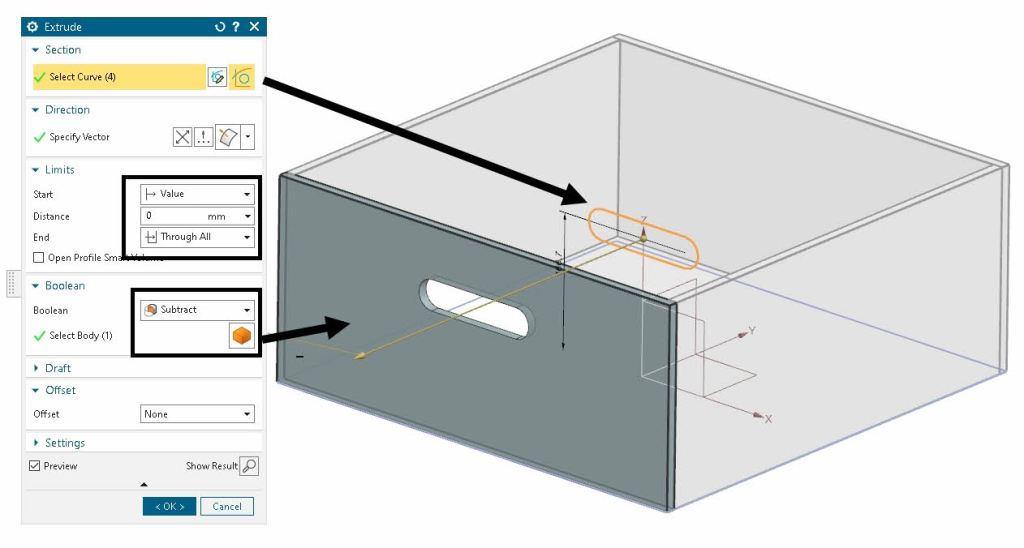
- Extrude and subtract from front plate.
 Manulab - NTNU Aalesund